
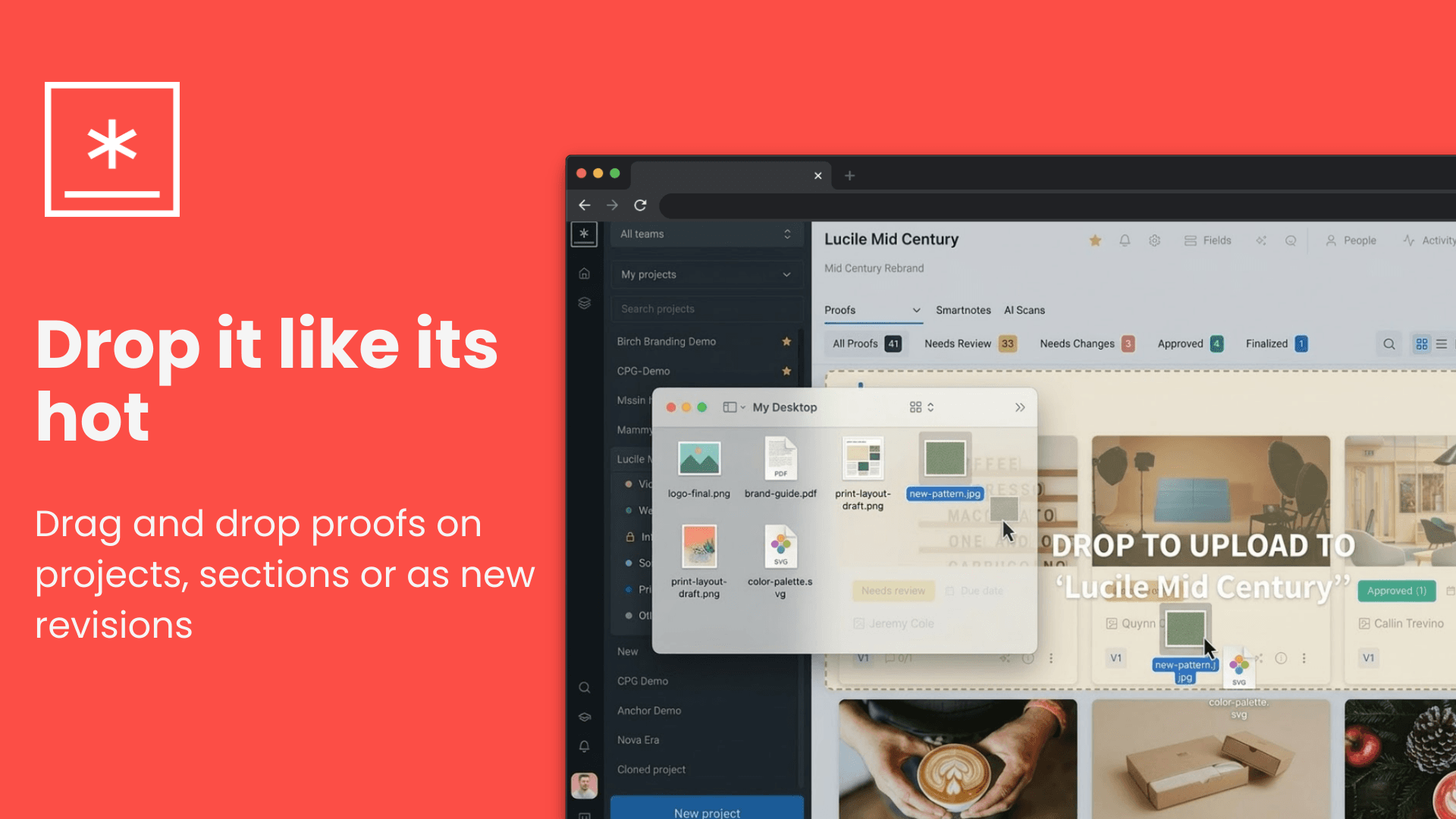
Drag and Drop Uploads
You can now drag and drop files directly from your desktop anywhere into GoVisually to upload proofs and revisions — no clicking required.
✨ What's New
Project-level drop zone Drop files anywhere in the project area to instantly open the Add Proof modal with your files pre-loaded. Visual overlay feedback ("Drop to upload to [project name]") appears as soon as you drag over the project.
Section-level drop zone Drop files directly onto a specific section — the Add Proof modal opens with that section pre-selected, so your files land exactly where you want them. Dropping a folder uploads all contained files to that section.
Proof card drop zone — instant revision uploads Drop a single file directly onto an existing proof card to immediately trigger the Add Revision modal. Dropping multiple files or a folder onto a card adds them as new proofs to the same section instead.
Folder support Drop entire folders from your desktop. GoVisually recursively extracts all files from nested folder structures and uploads them.
Smart visual feedback
- Drop zones light up with a blue highlight and an upload icon when you drag supported files over them.
- Immediately shows a red highlight and "This file type is not supported" message if you drag unsupported file types — before you even drop.
- Finalized proofs display an "X" icon and "This proof is finalized" message to prevent accidental uploads.
Auto-scroll while dragging The page automatically scrolls when you drag files near the top or bottom edge of the content area, making it easy to target sections that are off-screen.
Streamlined upload buttons "Add proof" buttons now open a file picker directly (no intermediate modal step). "Add revision" in the proof card more menu also triggers a file picker directly, passing the selected file straight into the revision modal.