
Meet Project Groups
Every project, in its place — meet Project Groups
Big launches rarely live in one project. Neither do client accounts, campaigns or product lines.
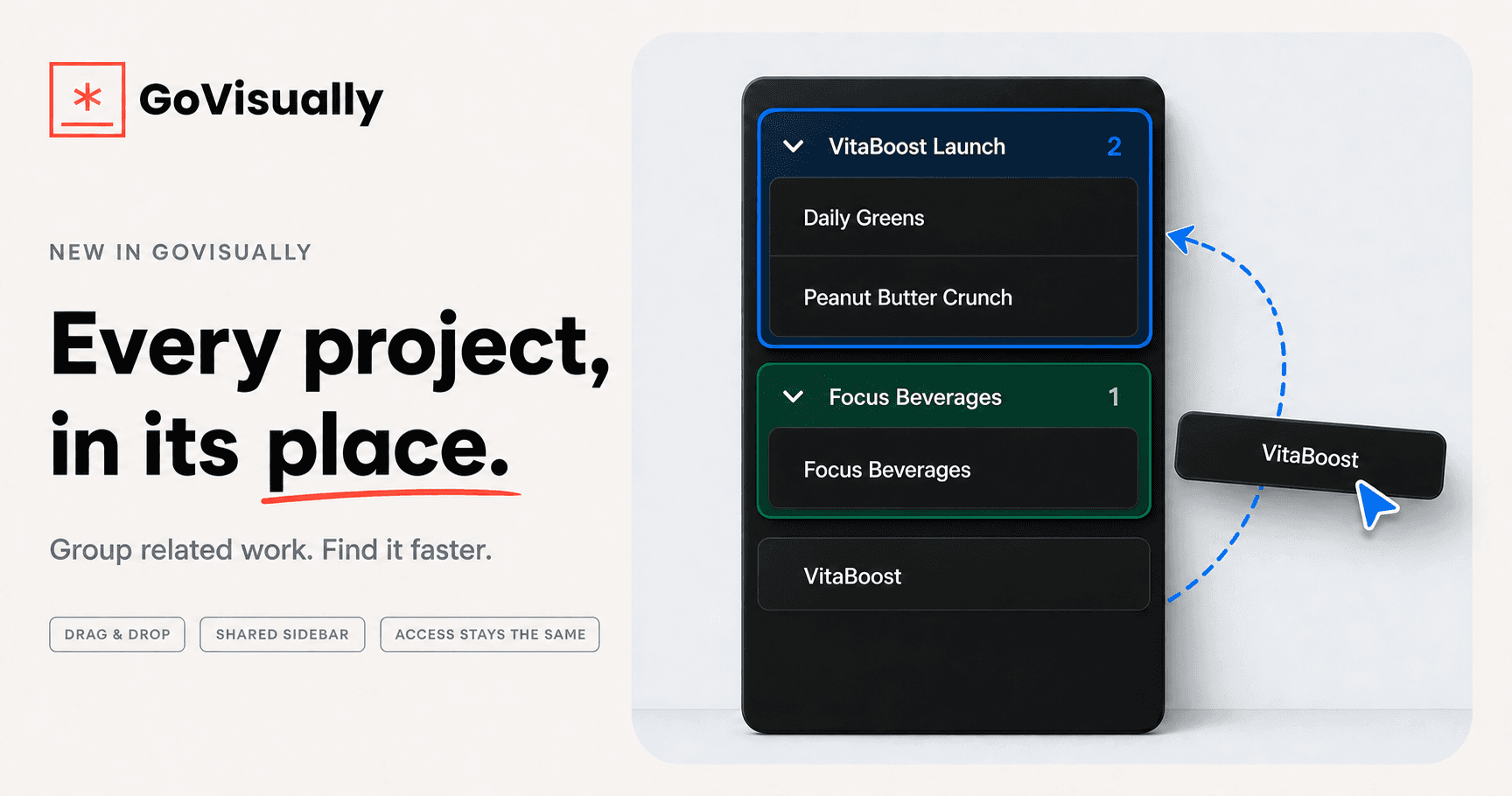
Project Groups give your team a shared, cleaner way to organize related projects in the GoVisually sidebar — without changing who can access them.
What’s new
-
Create groups that fit the way your team works. Name each group and choose a color and icon so launches, brands, campaigns or clients are easy to spot.
-
Move projects in seconds. Drag and drop a project into a group, or use Move to group from the project menu.
-
Collapse the noise. Fold away the groups you do not need right now and keep the work that matters in view.
-
Stay aware of hidden activity. Project counts show the size of each group, while collapsed groups surface unread activity without forcing you to open them.
-
Keep one shared structure. Everyone on the team sees the same project organization, so people spend less time hunting through different versions of the project list.
Organization changes. Access doesn’t.
Project Groups are purely organizational. Moving a project into a group never grants or removes access — permissions remain attached to the individual project.
External reviewers continue to see only the projects shared with them.
How to create your first group
-
Open your team’s project sidebar.
-
Right-click a project and choose Move to group → New group.
-
Give the group a name, color and icon.
-
Drag in the rest of the related projects.
You can move a project between groups at any time. Each project belongs to one group at most, and projects without a group remain available below the grouped sections.
Deleting a group never deletes its projects. They simply move back into the ungrouped project list.
Start with the work your team searches for most - this quarter’s launch, a key client or your busiest brand — and give every project a place.